
Bottom line: We compared the leading portable SSDs using published expert reviews, buyer ratings, and manufacturer specs. Here's what consistently stands out in 2026.

External SSDs are now cheap enough to replace flash drives for serious use. A $100 portable SSD gives you 2TB capacity, USB 3.2 Gen 2 speeds up to 1,050 MB/s, and durability that SD cards and spinning drives can't match.

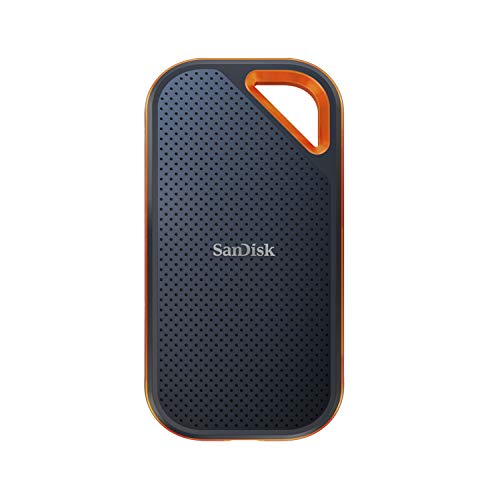
⚡ Quick Summary Best overall: LaCie Rugged SSD4 1TB. Best budget: Samsung T7 2TB. Best value: WD My Passport SSD. Fastest: SanDisk Extreme Pro 2TB.

Prices are moving fast in 2026: SSD prices have risen sharply since late 2025 because the NAND flash memory inside every SSD is in short supply — AI data centres are buying enterprise SSDs faster than factories can supply them. GamersNexus reported in March 2026 that the average 2TB NVMe SSD had risen from about $190 to nearly $450 in four months. So treat every price on this page as a snapshot, not a promise — check the live price before you buy, and if you need a drive now, buying sooner is usually better than waiting for a drop.

How We Picked

Our picks come from published expert reviews, buyer ratings, and manufacturer specs — we compare rated speeds, real-world transfer results reported by reviewers, ruggedness ratings, and prices, then rank the drives by what matters for backups, photo and video work, and travel. We do not run a test lab, and we never invent benchmark numbers. Where an independent lab has measured a drive — StorageReview’s measured read and write speeds, cited on this page — we use the measured figure, not the speed on the box.

Best External SSDs at a Glance

Model Speed Best for Price
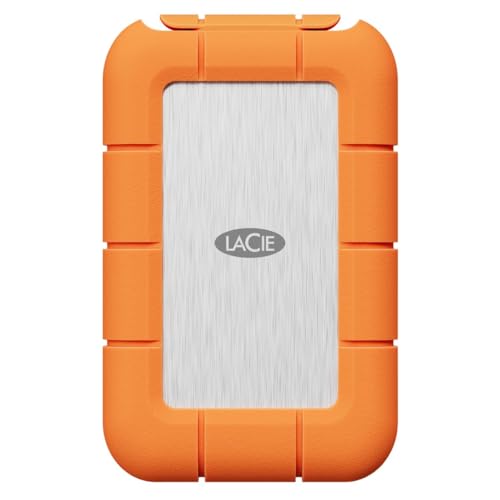
LaCie Rugged SSD4 1TB 3,185 MB/s (measured) Best Overall — rugged video work Check live price
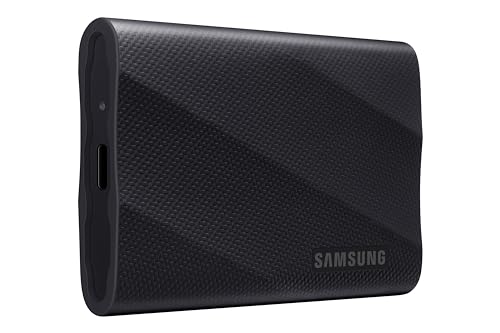
Samsung T9 2TB 2,000 MB/s Best Mainstream $426.99
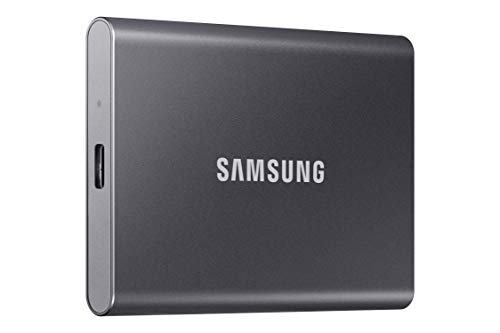
Samsung T7 2TB 1,050 MB/s Best Budget — everyday backups $89
WD My Passport SSD 2TB 1,050 MB/s Best Value $89
SanDisk Extreme Pro 2TB 2,000 MB/s Fastest transfers $360.99
Samsung P9 2TB 4,048 MB/s (measured) Fastest USB4 for creators $649.99 (late Oct 2026)

Measured speeds are StorageReview lab results cited on this page; other speeds are the makers’ rated figures. Prices are the ones shown on this page (T9 and SanDisk as of 9 Nov 2026) — check the live price before buying.

Best Overall: LaCie Rugged SSD4 1TB

The rugged USB4 option: same 4,000/3,800 MB/s maker ratings, in a familiar orange-bumper shell rated IP54 with 3 m drop resistance and 1-ton pressure resistance, plus a 3-year warranty with data recovery service. Published reviews report it as the strongest of the new USB4 drives for sustained writes (StorageReview measured about 3,185 MB/s read and write). Prices have risen sharply since its launch ($119.99 for 1TB), and stock is scarce amid the NAND shortage, so we list no price here — check the live price on Amazon before buying. Also available in 2TB and 4TB.

Best Budget: Samsung T7 2TB

The Samsung T7 is the most recommended budget portable SSD in published expert reviews. Samsung rates it at up to 1,050 MB/s read and 1,000 MB/s write over USB 3.2 Gen 2. The aluminum body is compact and light, and reviewers praise its durability. Optional password protection with AES 256-bit encryption is available without any software.

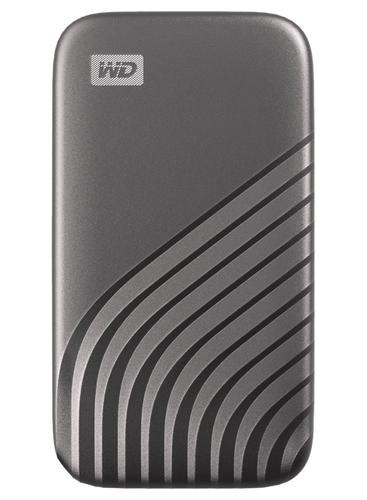
Best Value: WD My Passport SSD 2TB

At around $89 for 2TB, the WD My Passport SSD undercuts the Samsung on price while delivering 1,050 MB/s read speeds. The rubberized casing is more drop-resistant than metal designs. It includes optional WD Backup software and a 5-year limited warranty.

Fastest Transfers: SanDisk Extreme Pro 2TB

For video professionals transferring 4K footage, the SanDisk Extreme Pro is rated at up to 2,000 MB/s read and 2,000 MB/s write with a USB 3.2 Gen 2x2 connection. The IP65 rating means it's dust and water resistant. At $360.99 for 2TB (as of 9 November 2026), it's premium priced but professional-grade.

Best Mainstream Pick: Samsung T9 2TB

The Samsung T9 is the mainstream pick across the 2026 guides — TechRepublic’s top pick, and the mainstream pick at StorageReview and TechRadar. It runs USB 3.2 Gen 2x2 at up to 2,000 MB/s read in a 122 g aluminium body with 3 m drop resistance, hardware AES 256-bit encryption and a 5-year warranty. It is the fastest drive here that works on a plain 20 Gbps USB-C port — no USB4 or Thunderbolt needed. Price as of 9 Nov 2026: $426.99 on Amazon (list $489.99); prices have moved between about $427 and $455 in early November amid the NAND shortage, so check the live price before buying.

New for 2026: USB4 Picks

USB4 drives roughly double the speed of the 20 Gbps drives above — but only on a USB4 or Thunderbolt port (see the speeds explainer below). The Samsung P9 below is rated by its maker at up to 4,000 MB/s read and 3,800 MB/s write.

Samsung P9 2TB — reported at $649.99 on Amazon (late Oct 2026)

Samsung's first USB4 portable SSD, launched August 2026, in 1TB, 2TB, 4TB and 8TB — the 8TB is the first 8TB USB4 portable drive Samsung has made. It is a slim metal slab (90 × 65 × 8.3 mm, 96 g) with a 2 m drop rating, AES 256-bit hardware encryption and a 5-year warranty. Published reviews report it hitting its rated speeds on a USB4 host (StorageReview measured 4,048 MB/s read), while noting that long sustained writes slow once the cache fills and that small-file writes are weaker than the LaCie's. Best for: creators moving large video and photo libraries who have a USB4 or Thunderbolt port. Note: Samsung's own US store shows it out of stock, so check live availability before ordering — we have not linked it here because its Amazon listing could not be verified yet.

External SSD Buying Guide

Match speed to your use case: for normal backups, 500–1,050 MB/s is plenty. For 4K video work, target 2,000 MB/s+. Interface matters: USB 3.2 Gen 2 (10Gbps) is the minimum for fast SSDs. Gen 2x2 (20Gbps) only helps if your laptop supports it. Check the cable included — many SSDs bundle USB-C but not USB-A adapters.

USB Speeds, in Plain English

USB names are confusing, so ignore the "Gen" codes and look at one number: the gigabits per second (Gbps) on the port. USB 3.2 Gen 1 means 5 Gbps (about 500 MB/s in real use). USB 3.2 Gen 2 means 10 Gbps (about 1,000 MB/s). USB 3.2 Gen 2x2 means 20 Gbps (about 2,000 MB/s, USB-C only). USB4 means up to 40 Gbps (about 4,000 MB/s, USB-C only).

The port sets the speed limit, not the drive. A 4,000 MB/s USB4 drive plugged into a 10 Gbps port will run at roughly 1,000 MB/s — the drive is not faulty, the port is the bottleneck. Published reviews report exactly this: on a 10 Gbps port, a 4,000 MB/s drive peaks at around 1–1.2 GB/s. The cable matters too: an old or charging-only USB-C cable can quietly cap the speed. Before paying for a faster drive, check the fastest USB-C port on your own computer and match the drive to it.
Samsung T7 Portable SSD 2TB
💰 Best Budget

Samsung T7 Portable SSD 2TB

⭐⭐⭐⭐ 4.7/5 (28,413 Amazon reviews)
$89 $119
Check Price on Amazon →
WD 2TB My Passport SSD
💰 Best Value

WD 2TB My Passport SSD

⭐⭐⭐⭐ 4.6/5 (14,892 Amazon reviews)
$89 $119
Check Price on Amazon →
SanDisk Extreme Pro Portable SSD 2TB
⚡ Fastest

SanDisk Extreme Pro Portable SSD 2TB

⭐⭐⭐⭐ 4.6/5 (9,234 Amazon reviews)
$360.99 $389.28
Check Price on Amazon →
LaCie Rugged SSD4 Portable SSD 1TB
🏆 Best Overall

LaCie Rugged SSD4 Portable SSD 1TB

Check live price
Check Price on Amazon →
Samsung T9 Portable SSD 2TB
⭐ Best Mainstream

Samsung T9 Portable SSD 2TB

$426.99 $489.99
Check Price on Amazon →
🏆 Final Verdict

Best External SSDs 2026

The LaCie Rugged SSD4 1TB is the best overall portable SSD — StorageReview-measured 3,185 MB/s speeds, a rugged IP54 shell, and the strongest sustained writes of the new USB4 drives. The Samsung T7 2TB is the budget pick at $89 — consistent speeds, compact build, and proven reliability. The WD My Passport SSD saves $20 with nearly identical performance. Only go for the SanDisk Extreme Pro if you're regularly moving large video files.

⭐ Recommended

Frequently Asked Questions

How much faster is an SSD than a USB flash drive?+
A quality USB flash drive might hit 150 MB/s read. A portable SSD does 1,050 MB/s. That's 7x faster — a 50GB file transfer that takes 5.5 minutes on a flash drive takes under 1 minute on an SSD.
Can I use an external SSD to run games?+
Yes — many gamers use external SSDs for game libraries. USB 3.2 Gen 2 SSDs are fast enough to run most games without loading time differences vs internal drives.
Is 1TB or 2TB better for an external SSD?+
2TB is significantly better value in 2026. The per-GB cost is lower, and you'll fill 1TB faster than expected once you start using it for photo/video backups.
Are portable SSDs good for long-term storage?+
Yes — SSDs have no moving parts, making them more durable for travel and storage than hard drives. They can retain data for 5–10 years without power in normal conditions.
What are good speeds for a portable SSD?+
For most people, 1,000 MB/s is a good portable SSD speed — fast enough for photo and video backups, 4K playback, and moving large files in seconds rather than minutes. If you regularly move very large files or edit video directly from the drive, look for 2,000 MB/s models like the SanDisk Extreme Pro below. One catch: your port sets the ceiling — a 2,000 MB/s drive on an older 5 Gbps USB port will run far below its rated speed, so match the drive to your fastest port.
How long do portable SSDs last?+
Most portable SSDs last many years of normal use — they have no moving parts, so unlike hard drives they do not wear out from bumps and travel. Lifespan mostly depends on how much data you write to them; for backups and everyday file storage, a quality SSD will comfortably outlive the laptop you bought it for.
Can I use a portable SSD with my phone?+
Yes, if your phone has a USB-C port that supports external storage — most modern Android phones and iPhones with USB-C do. The drive should be formatted as exFAT so both your phone and computer can read it, and you may need a short USB-C to USB-C cable.
Is a portable SSD better than a hard drive for travel?+
Yes — SSDs are smaller, lighter, faster, and survive drops that would kill a hard drive. A hard drive only wins on price per terabyte, so it still makes sense for huge archives that rarely move.
What portable SSD size is best for photo and video backups?+
For photo libraries, 1TB covers most collections comfortably. For video work, go 2TB — video files eat space fast, and per gigabyte 2TB is better value in 2026, as our buying advice in this guide explains.
Do portable SSDs need a power cable?+
No — they run entirely off the USB port they are plugged into, which is exactly why they are pocket-friendly. If a drive is not showing up, try a different port or cable before assuming the drive is faulty.
Can I edit video directly from a portable SSD?+
Yes, as long as the drive is fast enough and your port keeps up — 1,000 MB/s handles 4K editing, while multiple 4K streams or very large footage want a 2,000 MB/s drive like the SanDisk Extreme Pro below. Editing from a slow drive is what causes stuttering timelines, not the editing software.
Do I need a USB4 drive, or is USB 3.2 fast enough?+
USB4 only matters if your computer actually has a USB4 or Thunderbolt port. On a standard USB 3.2 port, a USB 3.2 Gen 2 drive like the Samsung T7 or SanDisk Extreme Pro below already delivers its full real-world speed — paying for USB4 without the port buys nothing.
Is a portable SSD necessary if I already use cloud backup?+
They do different jobs. Cloud backup protects against theft, fire, and hardware failure, but it needs an ongoing subscription and internet access. A local SSD is a one-time cost, instant, and works offline — the best setup is both: SSD for speed, cloud for disaster backup.
What file system should I format my portable SSD with?+
exFAT for cross-platform use across Windows, Mac, Android, and consoles — it is what most drives ship with. NTFS only makes sense for Windows-only use, and APFS for Mac-only use or Time Machine. Unless you have a specific reason to change it, leave the factory exFAT format alone.
How can I secure data on a portable SSD?+
Choose a drive with hardware encryption, set a strong password, and keep its firmware updated — the WD My Passport SSD below is an encryption model. And keep a second copy somewhere else: encryption protects a lost drive from strangers, but it does not help if your only copy is lost.
Should I wait for USB4 portable SSDs?+
For most users, no — current 20Gbps drives already cover backups, photo and video work, and even 4K editing. USB4 only pays off if you regularly move hundreds of gigabytes to a USB4-capable Mac; otherwise buy when you need it, because drive prices rarely drop on cue.
Does LG make an external SSD?+
No — LG does not sell a portable or external SSD under its own brand. LG's storage products are the SSDs built inside its gram laptops, not standalone drives you can buy. If you use an LG gram laptop, any USB-C portable SSD on this page works with it — the Samsung T7 below is the safe default at 58 g, and the WD My Passport SSD is the cheaper 2TB option.
Does HP make a portable SSD?+
Yes — the HP P900 is a real portable SSD (USB 3.2 Gen 2x2, up to 2,000 MB/s read and write, 512GB / 1TB / 2TB / 4TB, aluminium body, 3-year warranty, from HP/BIWIN). We do not rank it as a pick here because we could not verify a current US Amazon listing for it — one August 2026 review could not find it on Amazon or Newegg either. The verified picks on this page remain the Samsung T7, WD My Passport SSD and SanDisk Extreme Pro.
What is the best portable SSD?+
The LaCie Rugged SSD4 1TB is the best overall portable SSD — StorageReview measured about 3,185 MB/s read and write, in a rugged IP54 shell rated for 3 m drops. If you want the cheapest 2TB drive, the WD My Passport SSD at around $89 gives you 1,050 MB/s speed. For everyday backups, the Samsung T7 2TB at $89 is the most recommended budget drive. For video work, the SanDisk Extreme Pro at 2,000 MB/s is the faster pick.
Why is my new SSD slower than the speed on the box?+
The speed on the box is the drive's maximum on its fastest connection — your port and cable decide what you actually get. A 4,000 MB/s USB4 drive on a 10 Gbps port will run at around 1,000 MB/s, and an old USB-C cable can cap it further. Published reviews report the same: on a 10 Gbps port, a 4,000 MB/s drive peaks at roughly 1–1.2 GB/s. Check your computer's fastest USB-C port, use the cable that came in the box, and try a different port before assuming the drive is faulty.
What is the best portable SSD for travel?+
The LaCie Rugged SSD4 1TB is the best overall portable SSD for travel — a rugged IP54 shell rated for 3 m drops, with StorageReview-measured speeds of about 3,185 MB/s. If you want the cheapest 2TB drive, the WD My Passport SSD at around $89 gives you 1,050 MB/s speed. For everyday travel backups on a budget, the Samsung T7 2TB at $89 is the lightest option at 58 g, about the size of a credit card. For video work on the road, the SanDisk Extreme Pro at 2,000 MB/s is the faster pick.

🔥 See Today's Best Deals

We track prices on 500+ products daily. Check live prices, price history, and exclusive coupons.

Browse All Deals →
👨‍💻
TechDealsGo Editorial Team
Product Reviewers & Deal Analysts
We research and verify tech deals so you don't have to. Every recommendation is based on research and 90-day price history data.

Affiliate Disclosure: TechDealsGo earns a commission when you purchase through our Amazon links (tag: nasiralisyed-20). This does not affect your price or our recommendations. Learn more →